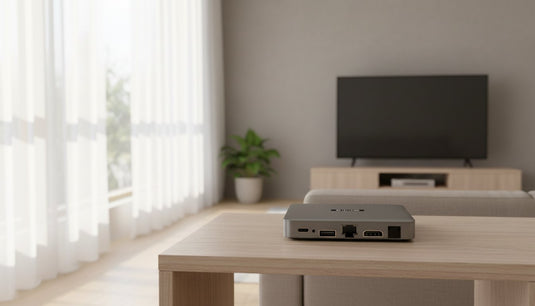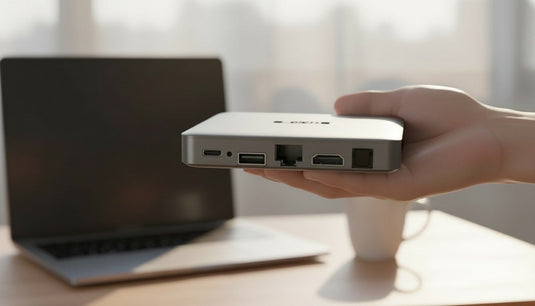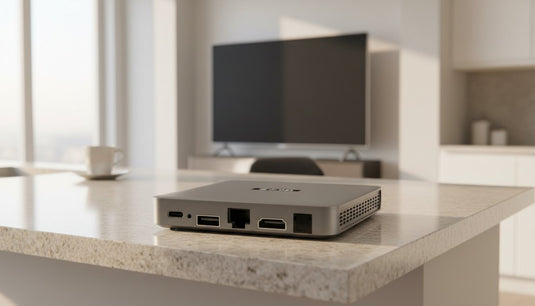
最近我們收到一位美國用戶的線上諮詢,表示在為新到手的小雲電視盒進行網絡設定時,點選 Wi-Fi 密碼欄卻沒有看見螢幕虛擬鍵盤彈出,不知道該如何輸入英文字母與數字。SVICloudNet 特別整理了這篇排查指南。無論你使用的是前代旗艦 SVICLOUD 10P+ 還是全新旗艦 SVICLOUD 15P,遇到密碼輸入框未跳出鍵盤的情況時,都可以依照本文步驟快速排除,順利連接家庭無線網絡。
A customer in the United States recently contacted our support desk asking why the on-screen input keys did not show up while configuring wireless network settings on a TV box. When entering network credentials during initial setup, troubleshooting a missing svicloud wifi password keyboard display is straightforward once you know how the system interface handles text input. As an official SVICLOUD distributor, we have compiled this practical guide. Whether you are using the previous flagship SVICLOUD 10P+ or the new flagship SVICLOUD 15P, these simple checks will help you input your network password without friction.
為什麼設定 Wi-Fi 時沒有彈出螢幕虛擬鍵盤? / Why the On-Screen Keyboard Does Not Pop Up During Wi-Fi Setup
電視盒的系統界面與手機或平板有所不同。在智能手機上,手指輕觸任何文字輸入框,系統便會立刻升起虛擬鍵盤;但在電視盒的 Android 系統架構中,焦點位置(Focus)依賴遙控器的方向鍵移動。如果游標僅僅停留在密碼外框,而沒有按下確認鍵激活輸入狀態,系統便不會主動觸發螢幕鍵盤。
The TV box operating system interface behaves differently from touchscreen smartphones and tablets. While a phone raises its soft keyboard the moment you tap a text field, an Android TV system relies on remote navigation focus. If the navigation highlight is merely hovering on the password frame without triggering an active input command, the system will not present the on-screen keys.
另一個極為常見的原因是外部硬體鍵盤的信號佔用。當電視盒機身的 USB 接口插入了無線接收器(例如迷你鍵盤或無線滑鼠的 2.4G USB Dongle)時,Android 系統會默認偵測到實體鍵盤已連接,並自動隱藏螢幕上的軟體鍵盤,以避免遮擋電視畫面。
Another frequent cause involves hardware keyboard detection. If you have connected a USB receiver—such as the 2.4G dongle for a mini wireless keyboard or mouse—into one of the USB 2.0 ports, the Android system automatically recognizes a physical input device. In standard Android configurations, the software keyboard is hidden to prevent unnecessary screen obstruction.
逐步排查:確保遙控器正確選中密碼欄與系統設定 / Step-by-Step Fixes: Selecting the Input Field and Checking Keyboard Settings
如果你手邊僅使用原廠遙控器進行設定,請按照以下排查步驟喚出螢幕虛擬鍵盤:
If you are setting up the device using only the factory remote control, follow these clear steps to display the virtual keyboard:
-
確實按下 OK 確認鍵:使用遙控器方向鍵移動高亮方框至 Wi-Fi 密碼輸入列(通常顯示為「請輸入密碼」或空白底線),對準該欄位直接按下遙控器正中央的「OK」鍵,即可調出系統虛擬鍵盤。
Confirm with the OK button: Use the directional pad on your remote to navigate directly onto the password text box (often labeled 'Enter Password'). Press the center 'OK' button squarely on the field to command the virtual keyboard to pop up. -
檢查是否選取了其他按鈕:如果游標停留在「顯示密碼」複選框、「取消」或「連接」按鈕上,按 OK 鍵只會切換選項而不會開啟鍵盤。請按方向鍵將焦點重新移回密碼輸入欄中央。
Avoid adjacent buttons: If the remote focus lands on the 'Show password' checkbox, 'Cancel', or 'Connect' buttons, pressing OK only toggles those options. Move the directional highlight back to the actual text entry line. -
檢查系統鍵盤設置:進入電視盒的「設定」>「裝置偏好設定」>「鍵盤」,確認系統內建的輸入法處於啟用狀態,並確保沒有切換至停用虛擬鍵盤的模式。
Verify keyboard settings: Navigate to Settings > Device Preferences (or System) > Keyboard, and confirm that the default system on-screen keyboard is enabled and not completely disabled.

搭配隨附迷你無線鍵盤:輸入長密碼更快捷 / Using the Bundled Mini Wireless Keyboard for Fast Password Entry
許多家庭的 Wi-Fi 密碼包含大小寫英文字母、數字以及特殊符號。如果單純使用電視遙控器的上下左右鍵在螢幕鍵盤上一格一格點選,操作過程相對繁瑣。在 SVICloudNet 訂購最新旗艦機型 SVICLOUD 15P,在贈品庫存期間均享有隨機贈送的迷你無線鍵盤與 UGREEN 4K HDMI 線。
Many home Wi-Fi passwords combine uppercase letters, lowercase letters, numbers, and symbols. Selecting each character one by one on a screen with remote directional buttons can be slow. When you purchase the flagship SVICLOUD 15P from our store, orders currently receive a complimentary mini wireless keyboard and a UGREEN 4K HDMI cable while promotional stocks last.
這款迷你無線鍵盤配備獨立的 2.4G USB 接收器。只需將其插入 15P 機身側邊的 USB 2.0 接口,打開鍵盤電源開關,即可直接像操作電腦一樣敲擊實體按鍵輸入 Wi-Fi 密碼。此時即便螢幕上沒有出現虛擬鍵盤,輸入框中依然會即時顯示你所輸入的密碼字元,既快速又精確。
This mini keyboard uses a compact 2.4G USB dongle. Simply plug the dongle into one of the two USB 2.0 ports on the 15P, turn on the keyboard switch, and type your Wi-Fi password directly on the physical keys just like on a laptop. Even if the on-screen soft keyboard remains hidden, the text field receives every character instantly, saving you tedious remote clicks.
遙控器操控技巧:小雲 15P 飛鼠與 10P+ 方向鍵操作比較 / Remote Control Techniques: 15P Air-Mouse Pointer vs. 10P+ Directional Remote
兩代旗艦機型在遙控硬體規格上存在明顯差異,了解這些特點能讓文字輸入更順暢:
The two flagship models feature distinct remote hardware designs, and understanding these controls helps you navigate input screens more smoothly:
-
SVICLOUD 15P 藍牙語音遙控器:15P 遙控器配備空中飛鼠(Air-Mouse)指標功能。按下飛鼠按鍵後,可以在螢幕上自由移動游標,直接對準密碼輸入框按 OK 點擊,選取螢幕鍵盤上的字母時也更加隨心所欲。
SVICLOUD 15P Bluetooth voice remote: The 15P remote includes an air-mouse pointer function. Activating air-mouse mode displays a free-moving pointer on your TV, allowing you to point directly at the password field or click on-screen keys without stepping through directional tiles. -
SVICLOUD 10P+ 遙控器:SVICLOUD 10P+ 遙控器無空中飛鼠功能,完全依靠十字方向導航鍵。操作時務必看清螢幕上的高亮焦點框移動位置,確保在正確的字元或功能鍵上按下 OK。
SVICLOUD 10P+ remote: The remote included with the previous-generation SVICLOUD 10P+ does not feature an air-mouse pointer. It navigates strictly via traditional directional buttons, so ensure your highlighted border lands exactly on the intended key before pressing OK.

有線網絡替代方案與官方售後支援保障 / Wired Ethernet Alternatives and Official Distributor Warranty Support
如果無線密碼過於複雜或者暫時無法調出鍵盤,最快速便捷的解決方案是直接連接實體網線。SVICLOUD 15P 與 10P+ 機身後方均配備 RJ45 有線網絡接口。只要將連接路由器的網線插入電視盒,系統便會自動取得 IP 地址並完成連網,完全無需輸入任何密碼。
If your wireless password contains complex symbols or you want immediate connectivity, connecting an Ethernet cable is the fastest alternative. Both the SVICLOUD 15P and SVICLOUD 10P+ feature an RJ45 Ethernet port on their rear panel. Connecting a patch cable from your home router allows the TV box to acquire an IP address automatically without entering any credentials.
SVICloudNet 所有售出之小雲電視盒均享有原廠一年硬體保固。若設備發生硬體故障,只需透過照片或影片確認,原廠即會直接更換新品,無需客戶先將舊機寄回,保障海外用戶的使用體驗。如需查看保固條款或了解物流寄送進度,可隨時查閱我們的 售後保固服務說明。
Every genuine unit supplied by SVICloudNet comes backed by a 1-year hardware warranty. Under our warranty terms, if a hardware fault is verified by photo or video, a replacement unit is dispatched without requiring the customer to ship the original box back overseas first. For full details on coverage and support channels, please visit our after-sales service warranty policy.
延伸閱讀 / Related Reading
- 查看 SVICLOUD 15P 旗艦電視盒規格 | SVICLOUD 15P Flagship TV Box
- 查看 SVICLOUD 10P+ 電視盒規格 | SVICLOUD 10P+ TV Box
- 官方授權經銷商認證證書 | Genuine SVICLOUD Authorized Distributor Certificate
- 售後保固條款與換新政策 | After-Sales Service and Warranty Policy
支援與教學 / Support & Guides
- 查詢訂單 — Track Your Order
- 小雲盒子完整安裝教學 — Complete Setup Guide
- 問題排解 — Troubleshooting
- 售後服務與保固 — After-Sales & Warranty